The campground reservation process involves dozens of repetitive tasks — sending confirmations, dispatching pre-arrival emails, following up after checkout, notifying waitlisted guests when spots open. Done manually, these tasks consume significant staff time and introduce inconsistency. Done through automation, they happen reliably without staff involvement.
Modern reservation platforms include workflow automation tools that are underused by most operators. Here’s a practical guide to the automations worth implementing and how to approach the setup.
What Makes a Good Automation Candidate
Not every reservation task should be automated. Good candidates share these characteristics:
Repetitive and high-volume. If you’re sending the same type of email 200 times a month, automating it saves meaningful time.
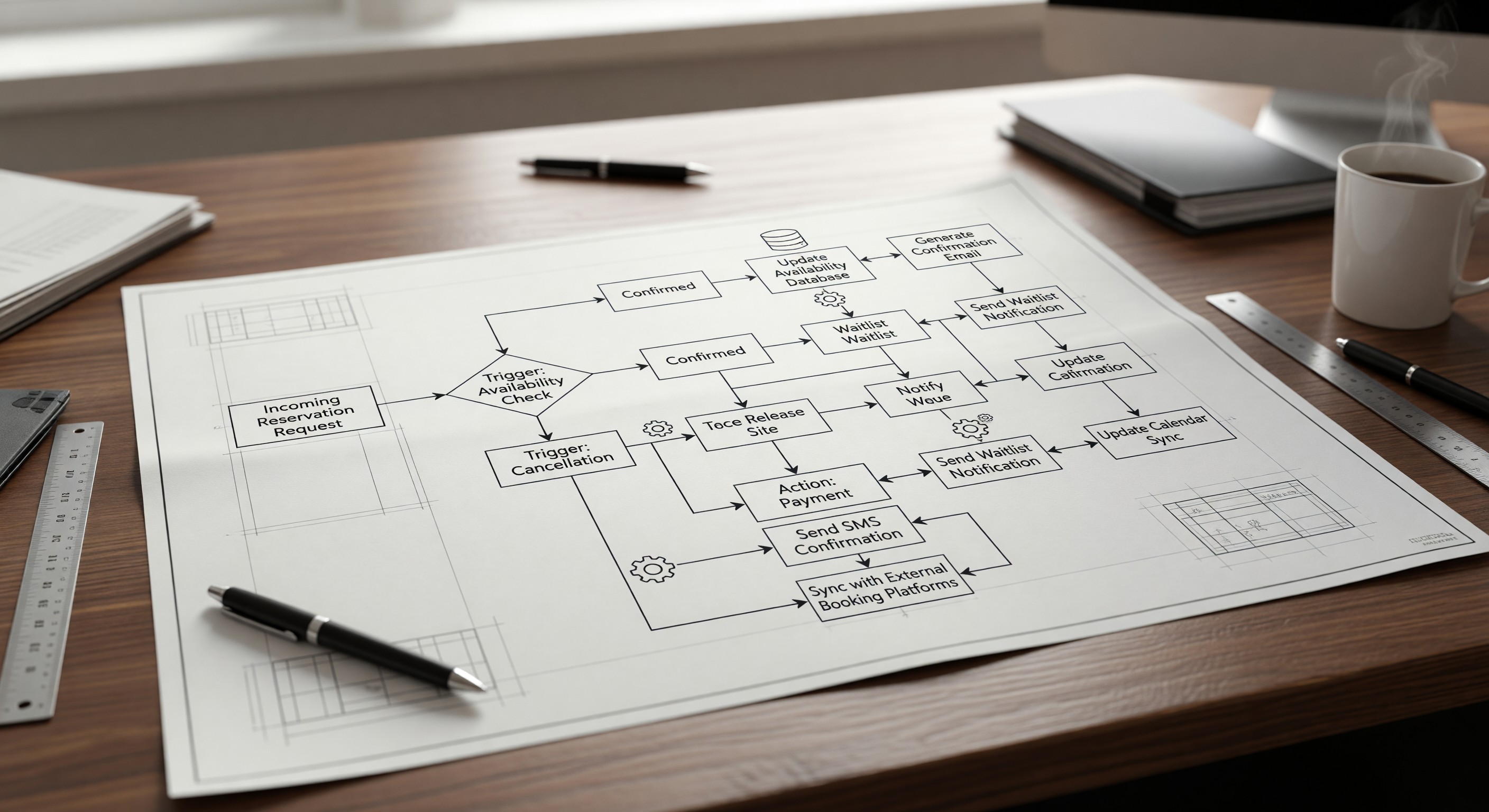
Trigger-based. The task happens in response to a clear event: a booking is made, a cancellation is received, a checkout date passes.
Rule-governed. The right action is deterministic — you don’t need a human to make a judgment call each time.
Quality-controllable. The automated output can be reviewed in a sample and adjusted when needed, rather than requiring case-by-case assessment.
Essential Automation Workflows
1. Booking Confirmation
Trigger: New reservation confirmed Action: Send branded confirmation email with full reservation details, cancellation policy summary, and park information link.
This is the most basic automation and should be active in every system. Review your confirmation template annually — it often becomes stale as policies change.
2. Pre-Arrival Sequence
Trigger: Reservation date minus 7 days Action: Send pre-arrival email with detailed directions, check-in instructions, gate access information, and FAQs.
Trigger: Reservation date minus 1 day Action: Send SMS with site number, gate code, and check-in reminder.
Trigger: Reservation date (morning, if arrival-day check-in) Action: Optional — SMS reminder for afternoon arrivals who haven’t checked in yet.
3. Post-Checkout Review Request
Trigger: Checkout date plus 2 days Action: Send email with a warm thank-you and a direct link to leave a review on Google, TripAdvisor, or your platform.
Review requests are 3–5x more likely to result in a review when sent within 48 hours of checkout than when sent a week later. Timing matters enormously here.
4. Waitlist Notification
Trigger: Cancellation received for a date with waitlisted guests Action: Identify matching waitlist entries, send SMS/email notification to top-priority match with a booking link and a 24-hour claim window.
Trigger: 24 hours after waitlist notification without booking Action: Notify the next waitlisted guest; release availability to general booking channels.
5. No-Show Follow-Up
Trigger: Arrival date passes without check-in recorded Action: Send automated message: “We noticed you may have been unable to make your reservation. If you had an emergency, please contact us.” Simultaneously flag the reservation for staff review.
6. Abandoned Booking Recovery
Trigger: Guest started but didn’t complete a booking (available in some platforms) Action: Send an email 4–6 hours after abandonment: “You were so close! Your dates are still available.”
Abandoned booking recovery is standard in e-commerce and increasingly available in campground platforms. Conversion rates on abandoned booking emails typically run 15–25%.
7. Seasonal Re-Engagement
Trigger: One year after guest’s last checkout (or 60 days before their historical booking season) Action: Send re-engagement email: “Summer is booking fast — secure your site at [Park] before your favorite dates fill up.”
Setting Up Automations in Your PMS
Most modern campground reservation platforms have a “Automations,” “Triggers,” or “Rules” section in their admin area. The setup typically involves:
- Choosing the trigger event — what causes the action to fire
- Setting conditions — who the automation applies to (all guests? only certain site types? only guests who opted in to SMS?)
- Building the action — selecting the email or SMS template, configuring timing
- Testing before activating — use a test reservation to confirm the automation fires correctly before it goes live
Document your active automations in a simple log (a shared spreadsheet works) so staff know what guests are receiving automatically.
Monitoring and Refining
Automations require ongoing maintenance:
- Review open rates and click rates on automated emails monthly
- Update templates when policies change
- Check for duplicate messages (a guest who cancels and rebooks may receive confusing sequences)
- Review the no-show workflow after any disputes
Frequently Asked Questions
Can automations replace human communication entirely? For routine transactions, largely yes. But high-stakes situations — disputes, complaints, complex special requests — still require human judgment. Automations handle the predictable 80%; staff handle the exceptions.
What if a guest receives an automated message that doesn’t apply to them (e.g., a reminder to check in on a date they’ve already cancelled)? This is a sequencing problem — your automation logic needs conditions to prevent sending messages for cancelled reservations. Most PMS platforms allow you to filter automations by reservation status. Always verify your conditions before activating.
How do I handle a guest who replies to an automated email? Ensure your automated emails come from a monitored address (or include instructions to reply to a separate contact address). Automated messages that appear to come from a “noreply” address create frustration. Replies should reach your team, even if the send was automated.
Is there a risk of over-communicating with guests through automation? Yes. A sequence that sends 6 automated messages before arrival and 3 after checkout is excessive. Audit your total automated touchpoints and eliminate redundancy. The test is whether each message delivers genuine value to the guest — if not, remove it.
Further Reading from Authoritative Sources
- ARVC campground reservation automation standards and PMS integration guidance — ARVC’s technology and operational resources for campground operators cover reservation automation best practices, PMS evaluation criteria, and integration standards.
- Go RVing consumer research on pre-arrival communication and digital check-in expectations — Go RVing’s consumer research on booking and arrival experience documents what RV travelers expect from campground digital communication, including pre-arrival information delivery and digital check-in capability.