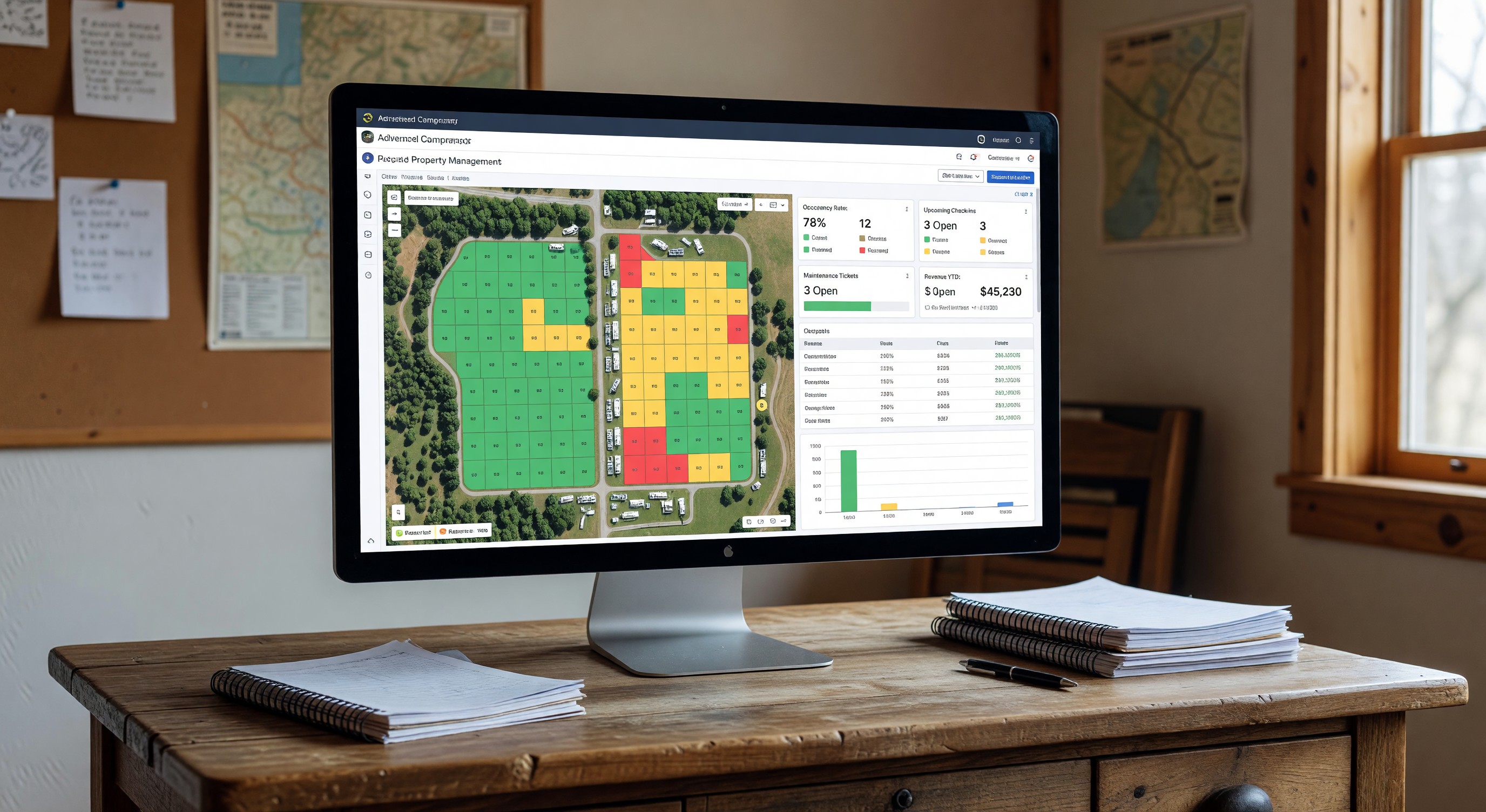
Property management software (PMS) is the operational backbone of any campground that processes more than a handful of reservations per week. It’s the system that handles reservations, manages site inventory, processes payments, records guest information, and generates reports. For most campground operators, choosing the right PMS is one of the most consequential technology decisions they make.
This guide explains what campground PMS software does, what distinguishes campground-specific platforms from generic booking tools, and how to evaluate options for your operation.
What Campground PMS Software Does
At its core, a campground PMS manages three fundamental things: inventory (your sites and accommodation types), bookings (reservations against that inventory), and guest information (who booked, when, payment status, history). Everything else builds from that foundation.
Reservation management: Processing inbound reservations from your website, phone, and walk-in; managing site assignment; handling modifications and cancellations; enforcing minimum stay requirements and advance booking rules.
Site inventory and availability: Maintaining a real-time picture of which sites are available on which dates. Preventing double-booking. Managing site types (tent, 30-amp, 50-amp, cabin, glamping) with different pricing and capacity rules.
Payment processing: Collecting deposits and final payments. Managing cancellation policies and refunds. Handling security deposits for cabins and rentals. Generating invoices and receipts.
Guest profiles: Storing guest contact information, vehicle information, pet records, and visit history. Enabling targeted communication to past guests.
Reporting: Occupancy rates, revenue by site type, average length of stay, advance booking windows, source of bookings, and dozens of other metrics that inform operational decisions.
Campground-Specific Features That Matter
General hotel or property management software isn’t designed for campground operations. The difference goes beyond surface-level — campgrounds have fundamentally different inventory structures, guest patterns, and operational requirements.
Site-centric (not room-centric): Campground inventory is organized by individual outdoor sites — each potentially with a different set of hookup types, sun/shade characteristics, size limitations (maximum RV length), and pricing. A system designed for hotel rooms doesn’t capture these distinctions.
RV-specific data capture: RV length, slide-outs, tow vehicle information, and required hookup type are data fields that hotel systems don’t have but campground systems need.
Slide-in occupancy during same-day turnover: Campgrounds frequently have same-day turnovers where a departing guest vacates in the morning and an arriving guest occupies the same afternoon. Managing this with accurate availability requires housekeeping status tracking specific to outdoor sites.
OTA channel management: Distributing campground availability to outdoor-specific OTAs (Hipcamp, Pitchup, RVillage, The Dyrt) requires integration with platforms that don’t exist in hotel distribution networks.
Utility billing integration: Site-level electricity metering and billing is a campground-specific requirement that general hospitality PMS platforms rarely support.
Key Evaluation Criteria
Ease of use for your staff: The best-featured system is useless if your staff can’t use it efficiently. Evaluate front-desk reservation processing speed, the clarity of the site availability calendar, and the ease of common tasks like modifying a reservation or processing a refund.
Online booking experience for guests: The guest-facing booking interface is the digital front door of your campground. Does it display accurate availability? Is it mobile-friendly? Can guests select their preferred site? Does it communicate your policies clearly?
Reporting and analytics: Can you get the data you need for business decisions? Look specifically for: occupancy by site type, revenue by booking channel, advance booking patterns, and year-over-year comparisons.
Integration ecosystem: What does the platform connect to? Gate access control, accounting software, OTAs, utility billing, credit card processing, and email marketing all benefit from integration.
Support quality and availability: When problems arise during peak reservation periods, support availability matters. Research vendor support reputation before committing.
Pricing and total cost of ownership: Compare software subscription costs, payment processing fees, per-reservation fees (if any), and implementation costs. The lowest subscription price may not be the lowest total cost.
Implementation Considerations
Switching campground PMS platforms is a significant undertaking. Data migration — bringing reservation history, guest profiles, and site configurations into a new system — requires careful planning and testing. For campgrounds mid-season, implementation timing should minimize disruption to active reservations.
Many operators choose shoulder season (late fall or early spring) as the implementation window. Training staff thoroughly before the system goes live with guests reduces errors and guest-facing problems during the learning period.
Frequently Asked Questions
How much does campground PMS software cost? Pricing varies widely. Monthly subscription fees range from $50–$500+ per month depending on features and campground size. Some platforms charge a per-reservation fee instead of or in addition to the subscription. Payment processing fees (typically 2–3% of transaction value) are a significant ongoing cost that should be factored into comparisons. Request all-in pricing for your expected transaction volume before deciding.
Can I use a spreadsheet instead of dedicated PMS software? For campgrounds with fewer than 20 sites and very limited reservation volume, a spreadsheet-based approach is workable. Beyond that scale, the error risk, the time investment, and the lack of online booking capability make dedicated PMS software economically justified. Most campgrounds past startup phase should be using purpose-built software.
How long does implementation typically take? Basic implementation — configuring sites, pricing, and policies, then going live with online booking — can be completed in 1–3 weeks for smaller campgrounds. Larger operations with complex pricing structures, multiple site types, and integrations to configure may take 4–8 weeks. Data migration from an existing system adds time and complexity.
Do I need separate systems for reservations and operations, or can one platform do both? Modern campground PMS platforms are increasingly full-stack — handling online booking, front-desk operations, reporting, and often integrating with gate access and utility billing. Starting with a capable single platform is simpler than integrating multiple specialized systems. Evaluate whether a platform’s capabilities across all functions are adequate rather than buying the best-in-class single-function tool for each need.
Further Reading from Authoritative Sources
- ARVC campground PMS technology standards and vendor resources — ARVC provides PMS vendor guidance and technology adoption resources for campground operators, including the ARVC member marketplace where vetted PMS vendors are listed.
- Property management system architecture and hospitality software overview — Wikipedia’s PMS article provides authoritative background on property management system architecture across the hospitality industry, helping campground operators understand how PMS platforms are structured and how they relate to the broader hospitality technology ecosystem.