A good campground map is the first piece of wayfinding technology most guests interact with — and one of the most useful operational tools for management. Digital interactive maps have evolved significantly beyond static PDFs and paper handouts, enabling site selection during booking, real-time availability visualization, maintenance location tracking, and emergency response planning.
Understanding what digital mapping can do for campground operations — and what’s required to implement it — helps operators make good decisions about mapping investments.
The Operational Map vs. The Guest Map
Campground maps serve two distinct audiences with different needs.
The operational map is used by staff for site assignment, maintenance task routing, and incident response. It needs to show:
- All sites with accurate labels matching the reservation system
- Site type indicators (30-amp, 50-amp, full-hookup, tent, cabin)
- Site size and RV length limitations
- Utility connection locations (electrical pedestals, water, sewer)
- Infrastructure locations (electrical panels, water shutoffs, main sewer lines)
- Maintenance asset locations (buildings, equipment, systems)
The guest map helps guests navigate the campground and find amenities. It needs to show:
- Entry gates and check-in locations
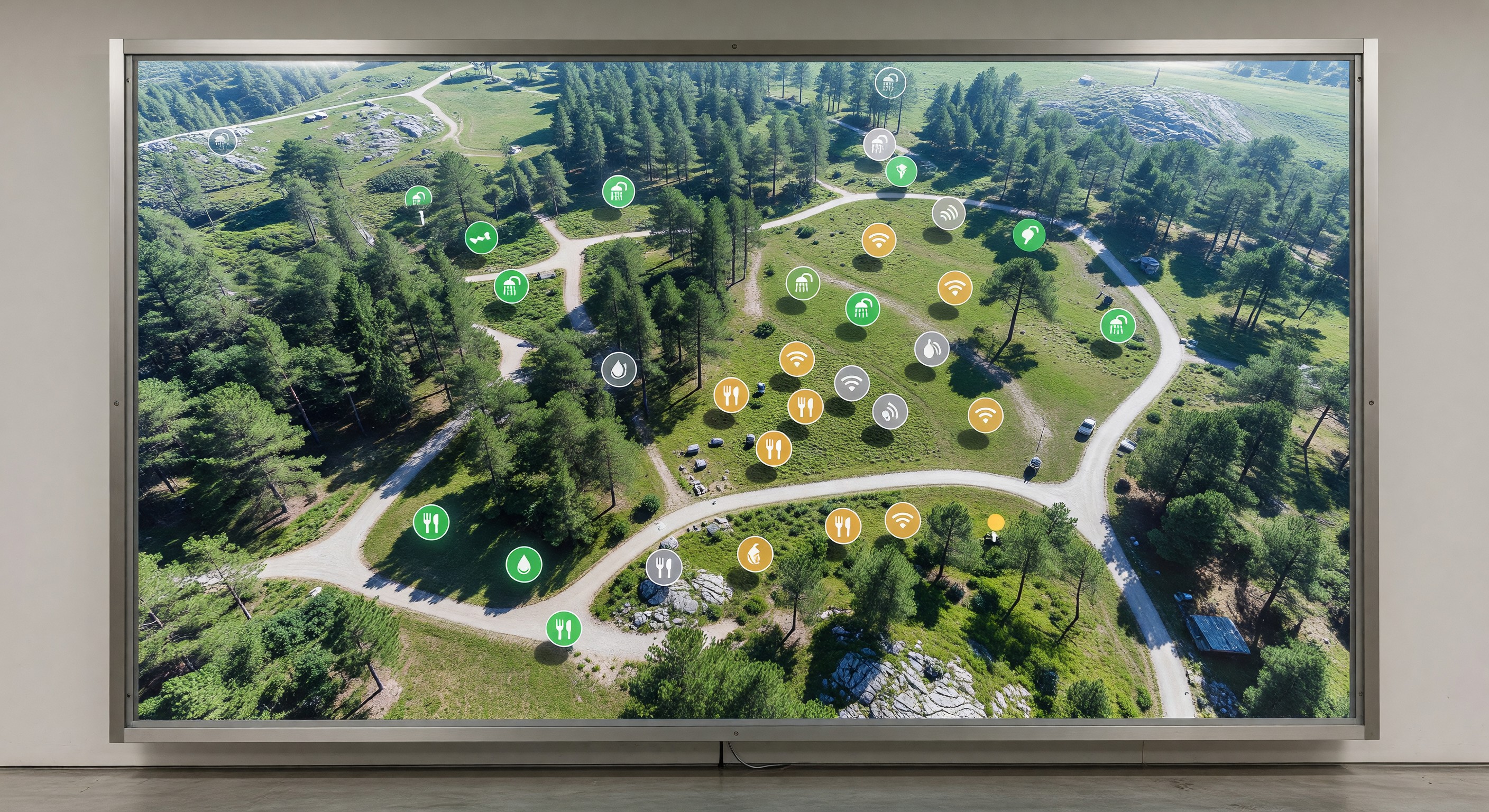
- Amenity locations (bathhouses, pool, laundry, store, playground)
- Site locations with enough clarity to navigate to their assigned site
- Emergency information (fire extinguisher locations, assembly points)
- Local area orientation (nearby roads, attractions)
These different purposes mean that a single map design often doesn’t serve both uses well. Campgrounds with the resources to create both typically benefit from having separate operational and guest-facing maps.
Interactive Maps for Site Selection
Interactive maps integrated with the reservation system allow guests to select their preferred site during the booking process — one of the most popular enhancements campground operators have added over the past several years.
The booking flow with site selection:
- Guest selects dates and site type
- Available sites matching their criteria are highlighted on the interactive map
- Guest clicks their preferred site to select it
- Reservation continues with that specific site assigned
Benefits for guests: They can compare sites (sun vs. shade, proximity to bathhouse, view, site size) and choose based on their preferences rather than accepting a staff-assigned site.
Benefits for operators: Guest satisfaction from site selection control typically improves. Specific preferred sites can be priced at a premium. Staff time on site assignment is reduced.
The key technical requirement is that your reservation system supports map-integrated site selection — not all platforms offer this capability, and integration quality varies. Evaluate this capability specifically when selecting or evaluating reservation software.
Digital Maps for Maintenance Operations
Maintenance teams navigate large campground properties multiple times daily. A mobile-accessible digital map that shows maintenance asset locations — with links to work orders and service history for each asset — reduces navigation time and provides context for maintenance tasks.
Asset location integration: If your CMMS (maintenance management software) allows assets to be geolocated on a map, maintenance technicians can identify which assets are in their current area and batch nearby tasks efficiently.
Work order visualization: Seeing open work orders plotted on a map reveals geographic patterns — multiple maintenance issues in the same loop may indicate a systemic problem with that loop’s infrastructure.
Emergency shutoff locations: Marking emergency shutoff locations (main water valve, electrical main, gas shutoff) on a maintenance map ensures any staff member can locate them quickly during an emergency, not just the most senior maintenance person.
Creating Accurate Campground Maps
The foundation of any campground mapping initiative is an accurate base map. Options for creating base maps:
Aerial imagery: Satellite or drone imagery provides accurate overhead views from which site boundaries, roads, and structures can be digitized. Google Earth Pro, Nearmap, and drone photography services provide imagery of varying resolution.
Survey data: For campgrounds with formal surveys, CAD drawings from the surveyor provide precise spatial data that can be converted to a mapping format.
GPS field survey: Walking the property with a GPS device or smartphone with a high-accuracy GPS application to record the positions of sites, buildings, and infrastructure. Accuracy of modern smartphone GPS is typically 3–5 meters — adequate for most campground mapping purposes.
Professional mapping services: Campground-specific mapping services (several exist specifically for this market) combine aerial imagery with field data collection to produce professional-quality maps suitable for both operational and guest use.
Map Formats and Accessibility
Once created, maps need to be delivered in formats that serve their intended use:
PDF maps: Static PDF maps for printing or digital distribution are the simplest format. Appropriate for emergency response documents, printed handouts, and situations where offline access is important.
Web-based interactive maps: Hosted on your website, allowing guests to explore the campground layout, zoom in on specific areas, and link to booking. These typically use JavaScript mapping frameworks or purpose-built campground map platforms.
In-app maps: If your campground has a guest app, an embedded map improves in-app navigation and discovery of amenities.
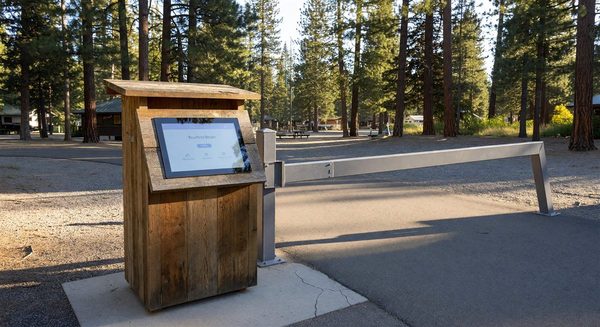
Wayfinding kiosks: Physical kiosks at the entrance with large-format touchscreen maps provide a high-visibility navigation resource for arriving guests.
Frequently Asked Questions
How often should campground maps be updated? Maps should be updated whenever significant changes occur: new sites added, facilities relocated, major infrastructure changes, or amenity additions. Beyond specific change events, an annual review to confirm accuracy is good practice. Outdated maps that show incorrect site layouts or missing amenities create guest confusion and erode the trust that maps are supposed to build.
Can I create a campground map without expensive software? Yes. For basic guest-facing maps, tools like Canva, Adobe Illustrator, or even PowerPoint can produce usable printed maps from a scaled base image. For interactive digital maps integrated with your reservation system, purpose-built campground mapping tools or the mapping features within your reservation platform are typically necessary. Start with the simplest solution that meets your needs.
What’s the relationship between the campground map and the reservation system’s site inventory? The map and reservation system should use identical site labels — if your map shows sites 1–200, the reservation system should have sites labeled identically. Discrepancies between map labels and reservation system labels create confusion for both guests and staff. When creating or updating either the map or the reservation site configuration, verify consistency.
Do I need permission to use satellite imagery for my campground map? Aerial imagery is subject to copyright. Most commercial aerial imagery services (Google Maps, Nearmap) license their imagery for specific uses; creating a campground map for commercial use typically requires a paid license. Google Maps provides an embedded mapping API with a free tier for lower-volume uses. Drone imagery you capture yourself is not subject to third-party copyright. When in doubt, review the terms of service of any imagery source before using it commercially.
Further Reading from Authoritative Sources
- ARVC campground site management and mapping technology standards — ARVC provides campground site management guidance and technology standards, including the mapping and site data requirements that support accurate inventory management and guest site selection tools.
- GIS mapping technology and spatial data management for facilities — Wikipedia’s GIS article provides authoritative background on geographic information system tools and spatial data management concepts that underpin campground mapping technology, supporting operators who are evaluating mapping approaches before investing in a site survey or digital mapping project.