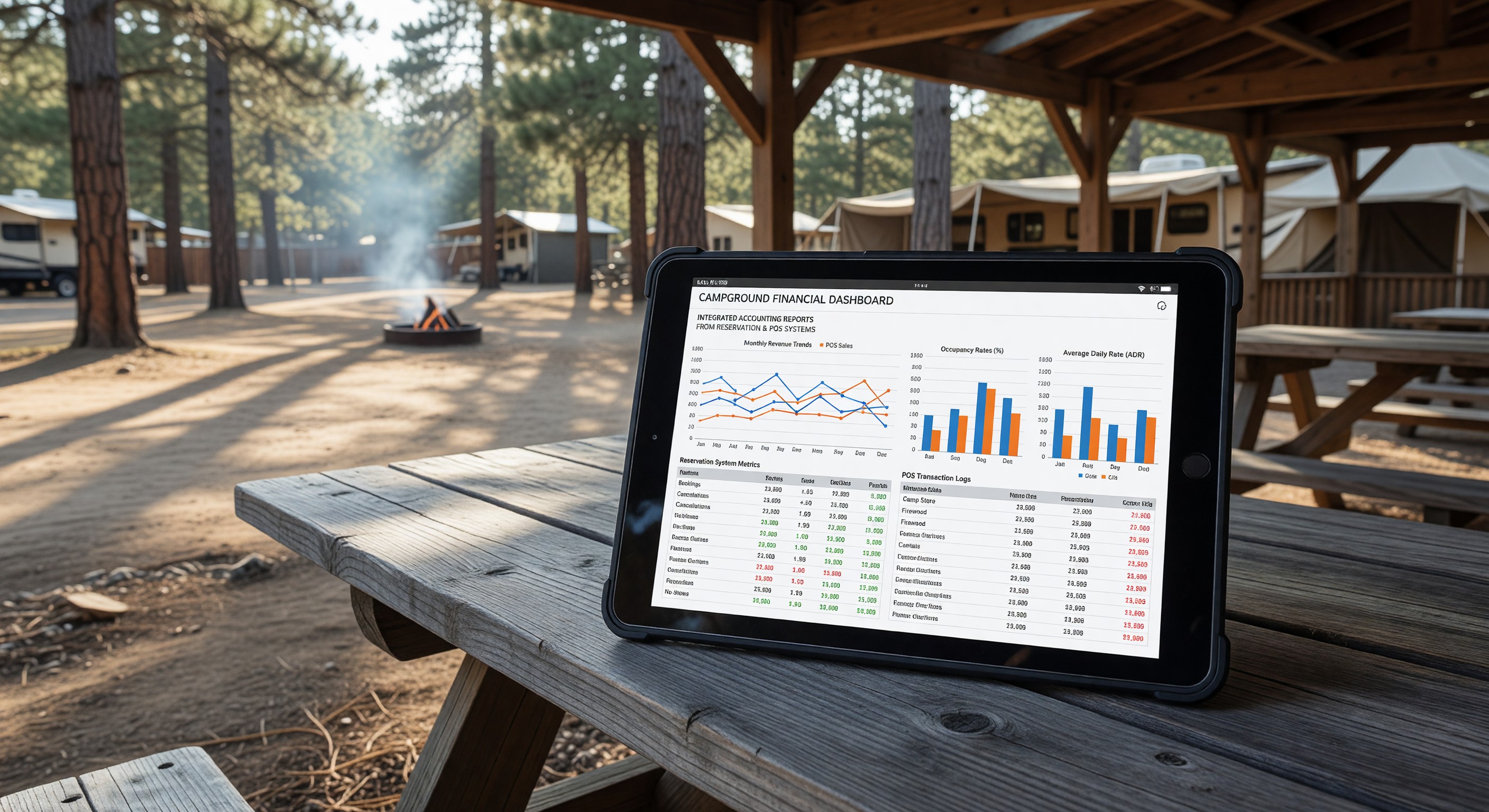
Campground financial management involves multiple revenue streams — reservation revenue, camp store sales, utility billing, add-on fees, day-use charges — each flowing through different systems. Without integration between operational software and accounting, data must be re-entered manually, errors accumulate, and financial reporting requires significant staff time to assemble.
Integrating campground systems with accounting software automates data flows, improves accuracy, and gives operators better financial visibility with less work.
The Campground Financial Data Landscape
A typical campground operation generates financial data from several sources:
Reservation management system: Site fees, reservation deposits, cancellation fees, add-on charges (fire bundles, activity rentals), and tax collected on site bookings.
Camp store POS: Merchandise sales, fuel or propane sales, service sales (firewood delivery, ice), and associated sales tax.
Utility billing: Electricity and water charges billed to guests against actual site meter readings.
Payroll: Staff wages, benefits costs, employer payroll taxes.
Vendor invoices: Service contracts, maintenance costs, supply purchases.
Utility bills: Electricity, gas, water, propane purchases at cost to the campground.
Without integration, each of these data streams requires manual entry into accounting software — a time-consuming process prone to transcription errors, and one that typically means financial reports lag behind operational activity by days or weeks.
Common Accounting Integrations for Campgrounds
Reservation system → accounting: Most modern campground PMS platforms offer either native QuickBooks integration or export to common accounting formats. Revenue recognized each day — site fees earned for stays occurring that day, deposits applied to checked-in reservations — can be exported daily or weekly to accounting without manual re-entry.
POS → accounting: Camp store POS systems (Square, Clover, Shopify) typically offer QuickBooks, Xero, or CSV export integration. Daily sales summaries — revenue by product category, tax collected, payments by tender type — flow automatically into the corresponding accounting accounts.
Payroll → accounting: Payroll services (Gusto, ADP, QuickBooks Payroll) post payroll transactions directly to accounting, recording wages, employer taxes, and benefits costs with each payroll run.
Bank feeds: Modern accounting software connects directly to your bank accounts and credit cards, importing transactions automatically. This eliminates manual entry of most vendor payments and eliminates the need to reconcile against manually entered transactions.
Chart of Accounts Setup for Campgrounds
Effective campground accounting starts with a well-organized chart of accounts — the classification structure that determines how every transaction is categorized. A campground chart of accounts should reflect the specific revenue and expense categories relevant to campground operations:
Revenue accounts:
- Site revenue (by site type if useful for analysis)
- Cabin/rental accommodation revenue
- Utility revenue (electricity, water billed to guests)
- Camp store merchandise revenue
- Services revenue (firewood, equipment rental, activities)
- Day-use fee revenue
Cost of goods accounts:
- Merchandise cost (camp store)
- Linen and housekeeping supplies (cabins)
- Pool chemicals and supplies
Operating expense accounts:
- Utilities (electricity, gas, water, propane purchased)
- Maintenance labor and materials
- Contractor services
- Marketing and advertising
- Software subscriptions (reservation system, management tools)
- Insurance
- Property taxes
- Staff wages and benefits
A campground-specific chart of accounts setup — either built from scratch or starting with an industry template — gives operators the granular financial visibility they need to manage costs and evaluate performance by revenue and expense category.
Financial Reports Every Campground Operator Should Review
With integrated systems and a proper chart of accounts, the following reports should be readily available:
Monthly P&L by segment: Revenue and costs for each major operating segment — accommodations (sites + cabins), camp store, services. This segment view reveals which parts of the operation are profitable and at what margin.
Occupancy-adjusted revenue analysis: Revenue per available site-night — normalized for occupancy — allows meaningful comparison between periods with different occupancy levels and year-over-year comparison that accounts for calendar differences.
Utility cost per revenue dollar: Electricity, water, gas, and propane costs as a percentage of total revenue. Tracking this ratio identifies when utility costs are growing faster than revenue — an early warning of either cost increases or revenue underperformance.
Working capital and cash flow: Campground revenue is highly seasonal; cash flow management is critical. Monthly cash flow statements showing the drawdown during off-season and rebuilding during peak season helps operators plan banking relationships and reserve requirements.
Tax Considerations for Campgrounds
Campground taxation is somewhat complex, with different rates and rules for different revenue types in different jurisdictions:
Sales tax on site fees: Many states exempt campground site fees from sales tax (treating them as lodging exempt from general sales tax) while others apply hospitality taxes. The specific rules vary by state and sometimes by the nature of the accommodation (RV sites vs. cabin rentals may be taxed differently).
Sales tax on camp store: Retail merchandise sales are generally subject to sales tax; food items may be exempt depending on state law.
Lodging or occupancy taxes: Some jurisdictions impose lodging or occupancy taxes on campground accommodations in addition to or instead of general sales tax.
Understanding the tax treatment of each revenue type — and ensuring your POS and reservation systems are configured to collect and report the correct tax amounts — is worth investing in professional tax guidance specific to your state and municipality.
Frequently Asked Questions
Do small campgrounds need dedicated accounting software, or can they use spreadsheets? Spreadsheets work for very small operations with simple financials. As revenue grows and transaction volume increases, the error risk and time investment of spreadsheet-based accounting outpaces the cost of accounting software. QuickBooks Simple Start ($30/month) handles the basics for most campgrounds; a more comprehensive QuickBooks or Xero subscription is appropriate as complexity grows.
How often should campground financial reports be reviewed? Monthly review of P&L and cash position is the minimum for effective financial management. Weekly cash position review is advisable during peak season when revenue and expenses are both high. Annual review with an accountant familiar with outdoor hospitality is worth the cost for tax planning and financial strategy.
What’s the easiest way to start improving financial visibility for a campground with no current integration? Start with bank feeds (connect your bank and credit cards to accounting software — this is free in most accounting platforms and requires minimal setup). Then add payroll integration. Then work on reservation system export. The sequence from lowest effort to highest covers most of the manual entry bottleneck.
Should campground operations and personal finances be completely separate? Absolutely. Commingling business and personal finances creates bookkeeping complexity, makes tax preparation more difficult, exposes personal assets to business liability claims, and prevents accurate measurement of business performance. Separate business bank accounts, business credit cards, and complete financial separation are fundamental business hygiene.
Further Reading from Authoritative Sources
- ARVC campground financial management standards and operator resources — ARVC provides financial management education and benchmarking data for campground operators including industry-standard chart of accounts structures and revenue reporting frameworks.
- OSHA recordkeeping and payroll compliance requirements for campground employers — OSHA’s recordkeeping requirements for employers directly affect campground payroll and HR accounting practices.