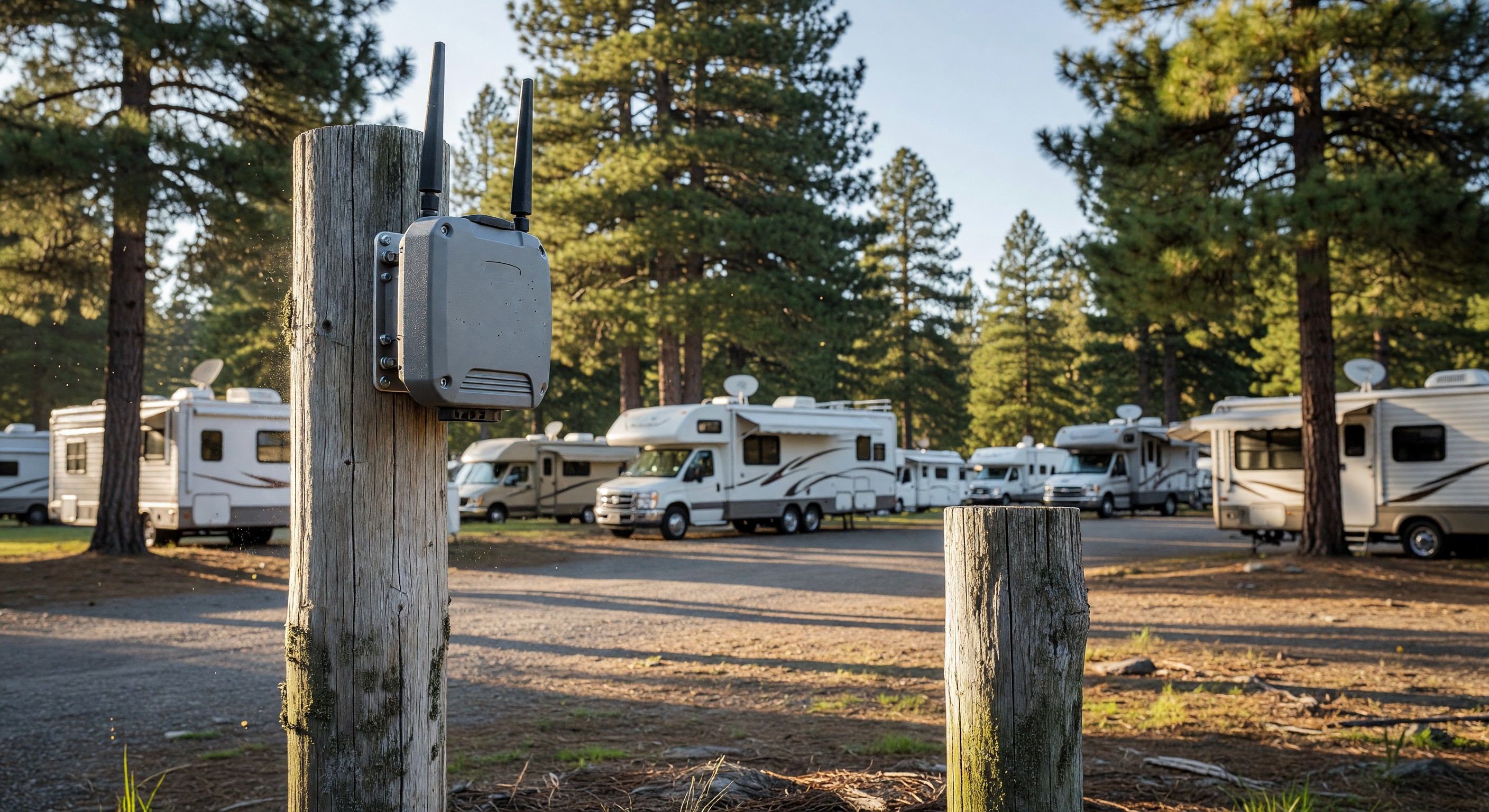
A decade ago, WiFi at a campground was a nice-to-have amenity that appealed to a minority of guests. Today, it’s a baseline expectation — and its quality (or lack thereof) is one of the most consistently cited factors in campground reviews, both positive and negative.
Providing WiFi that actually works in an outdoor campground environment is meaningfully different from setting up a home router. The distances, the physical environment, the high number of simultaneous users, and the bandwidth consumption patterns of camping guests require specific equipment and thoughtful network design.
Why Campground WiFi Is Different From Home WiFi
Scale: Your home router serves 5–20 devices in a small space. A campground WiFi network may need to serve 200–500+ devices across several acres, in buildings scattered across the property.
Physical environment: Trees absorb 2.4GHz and 5GHz radio frequencies, reducing coverage range. Metal RV bodies reflect and block signals. Terrain features create dead zones.
Interference: Campgrounds often have multiple RVs with their own WiFi routers, cell phone hotspots, and other wireless devices creating radio frequency congestion.
Usage patterns: 5pm Friday through Sunday morning sees dramatically higher concurrent usage than the rest of the week. Your network must handle peak loads without degrading service.
Outdoor durability: Access points deployed outdoors must withstand rain, temperature swings, insects, and UV exposure.
The Core Infrastructure Components
A campground WiFi network has several layers:
Internet service (backhaul): The connection from your ISP to your property. This is the starting point. If your ISP delivers 100 Mbps to your property and you have 100 active devices, that’s 1 Mbps per device maximum — barely functional for modern usage. Campground WiFi planning typically requires a minimum of 5–10 Mbps per concurrent user during peak periods.
Core switching and routing: The equipment in your wiring closet or utility building that distributes your internet connection to the network.
Ethernet cabling or wireless backhaul: The connection from your core network to each access point. Wired Ethernet to each access point provides the most reliable connection; wireless backhaul (using dedicated radios to link access points) is used where running cable isn’t practical.
Access points (APs): The devices that broadcast WiFi to guest devices. Commercial outdoor access points are designed for the range, concurrent device count, and environmental durability that campground applications require.
Network management software: The platform that lets you configure and monitor all your access points, view usage data, manage guest authentication, and apply traffic policies.
Access Point Selection for Outdoor Campgrounds
Consumer-grade access points — the kind you buy at a consumer electronics store — are not appropriate for campground use. They lack the range, concurrent device capacity, and weather resistance needed.
Commercial-grade outdoor access points from manufacturers like Ubiquiti, Cisco Meraki, Ruckus/CommScope, and Cambium Networks are purpose-built for multi-user outdoor deployment. Key specifications:
Coverage radius: Outdoor access points typically cover a radius of 100–200 feet in open space; less in vegetated or obstructed environments. Plan your access point placement based on measured coverage, not manufacturer specifications.
Concurrent client count: Commercial outdoor APs are typically rated for 50–200+ concurrent clients. In a dense camping area, APs may need to handle 30–50+ devices simultaneously.
Weather rating: IP67 or IP65 rated for outdoor deployment. These ratings indicate protection against dust and water immersion or jets.
Frequency bands: Dual-band (2.4GHz and 5GHz) is standard. Tri-band APs add a second 5GHz radio that can serve as a dedicated backhaul, improving performance in mesh configurations.
Network Design Principles for Campgrounds
Zoned coverage: Map your campground and identify the highest-density areas (hookup sites, bathhouses, pavilions). Deploy access points to provide strong coverage in these priority areas. Lower-density areas like primitive tent loops may get secondary coverage.
No single point of failure: If your entire network depends on one router or one wired connection, a failure takes down everything. Build redundancy at critical points.
Guest isolation: Configure the network so guest devices can’t communicate directly with each other or access your management systems. This is a security baseline.
Bandwidth management: Apply per-device or per-connection bandwidth limits to prevent one heavy user from consuming disproportionate capacity. 10–15 Mbps per device is a reasonable limit that serves most legitimate uses without enabling large downloads that degrade the network.
Frequently Asked Questions
How much internet bandwidth do I need for a campground? Plan for 3–10 Mbps per concurrent user, depending on the usage expectations of your demographic. A park of 100 sites with 60% occupancy (60 sites) and an average of 2–3 active devices per site during evening peak might need 360–1,800 Mbps of backhaul — which is why enterprise-level bandwidth agreements are common at busy parks.
Should I offer paid premium WiFi tiers? Some parks offer a free basic tier and a paid premium tier with higher bandwidth. This model works in resort environments where some guests are willing to pay for streaming-quality service. In campground environments, the administrative overhead often outweighs the revenue.
How do I prevent guests from complaining about slow WiFi during peak hours? Bandwidth management policies that limit per-device usage are the primary tool. Also, set expectations transparently — if your WiFi is suitable for email and light browsing but not 4K streaming, say so in your marketing. Guests who understand limitations in advance complain less than those who discover them on a Friday night.
What’s a realistic budget for campground WiFi infrastructure? For a 100-site campground, expect $15,000–$40,000 for a quality professional installation, including access points, cabling, core equipment, and labor. Ongoing costs include monthly internet service and software subscriptions. Lower budgets can work with fewer access points and lower-tier equipment, but performance trade-offs are real.
Further Reading from Authoritative Sources
- FCC spectrum regulations and broadband standards for campground WiFi — The FCC regulates the spectrum used by WiFi networks and publishes broadband speed standards that provide the regulatory context for the bandwidth requirements and connectivity definitions cited in this article.
- Wireless access point technology and enterprise WiFi architecture — Wikipedia’s wireless access point article provides authoritative technical background on enterprise access point architecture, radio management, and the capabilities that distinguish enterprise from consumer WiFi equipment at campgrounds.
For operators preparing for summer peak occupancy, Managing Guest Wi-Fi at Peak Occupancy: Bandwidth Strategies for Summer covers the bandwidth sizing math, per-device management, and cellular vs. fixed-line decisions for high-demand weekends.