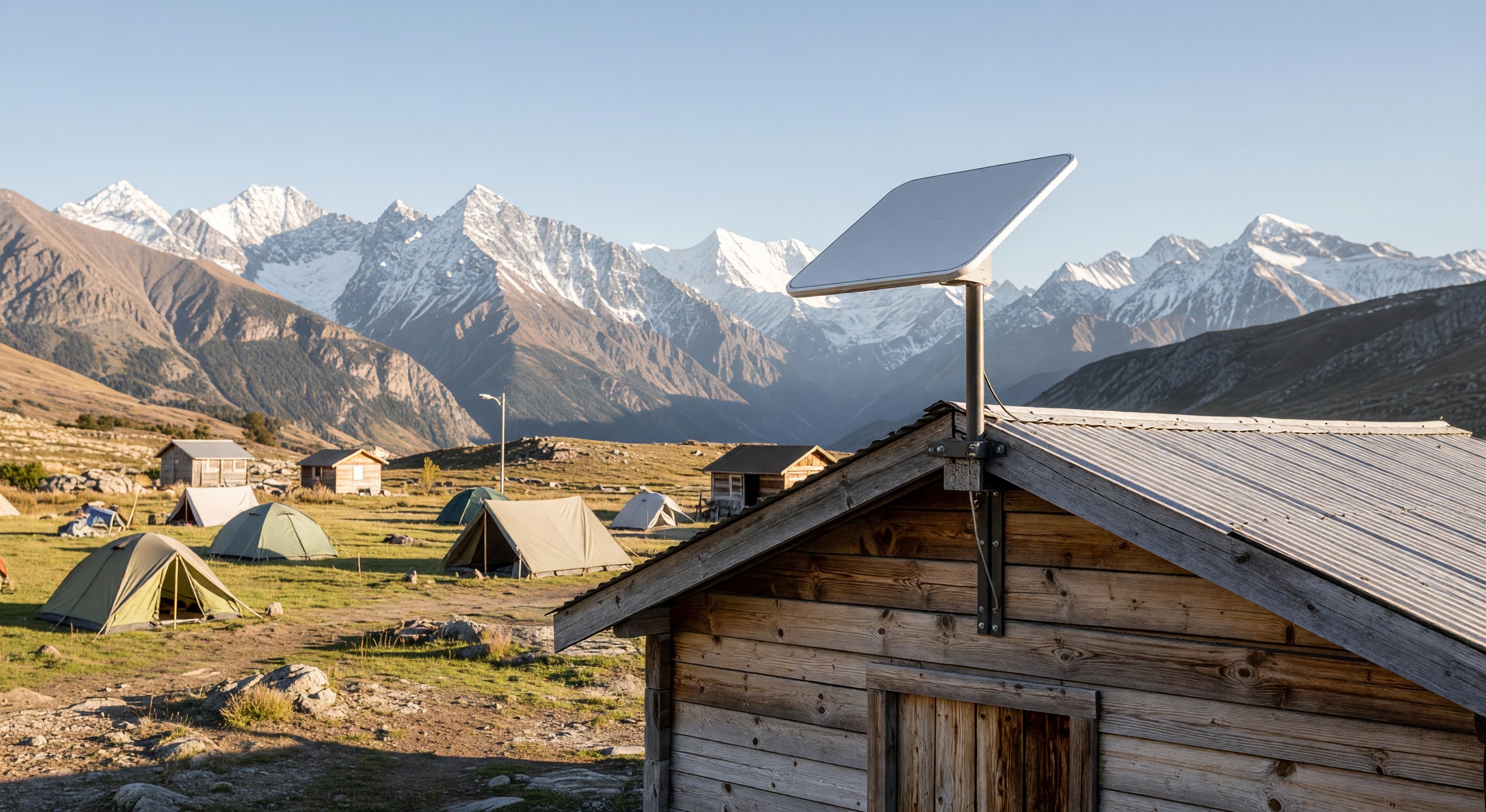
For campgrounds in rural or remote locations, reliable internet has historically required either expensive fiber installation, mediocre DSL performance, or cellular-based service that degrades under load. Starlink — SpaceX’s low-earth orbit satellite internet service — has changed the calculus for many of these operators.
Since Starlink’s broad commercial availability in 2021–2022, campground operators in areas previously without good internet options have deployed it as both a backhaul for campground WiFi systems and as a direct offering to guests who bring their own Starlink dishes.
What Starlink Delivers for Campgrounds
Starlink for Business (formerly Priority Access): The service tier designed for commercial deployments offers:
- 100–500+ Mbps download speeds (varies by location and time of day)
- 10–40 Mbps upload speeds
- Latency of 20–50ms (significantly better than geostationary satellite, which runs 600ms+)
- Priority network access during congestion periods
- Multiple service options including roaming/portable configurations
For a campground that previously had 25 Mbps DSL as its only option, upgrading to Starlink Business at 200+ Mbps is transformative.
RV Starlink (now Starlink for RVs): Starlink offers a residential service tier with roaming capability that guests can bring with them. Many RV campers now travel with their own Starlink dish. This creates a scenario where campgrounds don’t need to provide WiFi to tech-forward RV guests who bring their own superior connectivity.
Starlink as Campground WiFi Backhaul
The most common campground deployment of Starlink is using it as the internet connection (backhaul) for the campground’s WiFi network:
Setup: A Starlink dish is mounted at the campground (ideally with a clear view of the sky, away from tree obstruction) and connected to a router. The router distributes internet to the campground’s WiFi access point network through standard ethernet or wireless backhaul.
Performance: Starlink Business at a campground provides sufficient bandwidth for many small to medium parks. A park with 50–75 occupied sites can run basic guest WiFi off a single Starlink connection if per-device bandwidth management is configured.
Limitations for larger parks: Starlink is typically not the right solution for large parks (150+ sites) at peak occupancy because the aggregate bandwidth requirements exceed what a single Starlink connection reliably delivers. These parks are better served by fiber optic service or bonded cellular connections with Starlink as supplemental or backup.
Redundancy value: For campgrounds with existing fiber or cable internet, adding a Starlink connection as a backup is a relatively low-cost ($100–$150/month for business service) way to maintain connectivity during ISP outages.
Sky Obstruction: The Critical Site Requirement
Starlink requires a clear view of a significant portion of the sky. The dish needs unobstructed view to the north (in North America) to connect to the satellite constellation.
Tree canopy is the biggest issue for many campground locations. A heavily forested property where the dish can’t be mounted above the tree line may see significant performance degradation or frequent connectivity dropouts.
Before deploying, use the Starlink obstruction app (available in the Starlink app) to assess your intended installation location. The app shows which portions of the sky are blocked from your phone’s position.
Installation height matters: Higher mounting = less obstruction. A rooftop mount above tree line may perform excellently where a ground-level installation of the same dish is marginal.
Guest Starlink: Implications for Your Property
Guests who travel with Starlink RV dishes have their own connectivity solution that doesn’t depend on your WiFi. This has several implications:
WiFi demand from these guests is lower: They may not use your WiFi at all, reducing load on your network.
Physical installation questions arise: Guests may want to mount their dish somewhere elevated at your site. Some parks allow this; others prohibit external mounting for liability and aesthetic reasons. Develop a clear policy.
Site power requirements: Starlink consumes approximately 50–75W continuously. RV guests running Starlink are drawing additional power from your site’s electrical service.
Frequently Asked Questions
Is Starlink reliable enough for 24/7 campground operations? Starlink Business has improved substantially in reliability since launch. Short dropouts (1–5 seconds) still occur occasionally due to satellite handoffs. For applications that need absolute continuous connectivity (payment processing terminals, security systems), Starlink should be supplemented with a backup connection. For guest WiFi, brief dropouts are generally acceptable.
Can I share a Starlink connection across multiple buildings in my campground? Yes — through standard networking equipment. The Starlink router connects to your main network switch, and from there you distribute to access points throughout the property. The Starlink router itself should be replaced by a professional-grade router (Ubiquiti, Mikrotik, etc.) for campground-scale deployments.
How does Starlink perform during bad weather? Rain and clouds cause some signal attenuation — during heavy precipitation, speeds may drop 20–40%. Snow accumulation on the dish causes more significant degradation; the dish has a self-heating function that melts moderate accumulation but heavy snow can still cause outages. Plan for backup procedures during severe weather.
What’s the total cost of deploying Starlink as campground WiFi backhaul? Starlink hardware (dish + router) is approximately $499 for the residential kit or $2,500 for the high-performance business kit. Monthly service for Business is approximately $250–$500 depending on the plan. A campground deployment would also include cabling from the dish to a professional router ($200–$500) and integration into the existing WiFi infrastructure.
Further Reading from Authoritative Sources
- FCC spectrum regulations and satellite internet service standards — The FCC regulates satellite internet services including the spectrum used by LEO satellite constellations like Starlink, as well as the unlicensed spectrum used by the WiFi access points that campgrounds deploy off Starlink backhaul.
- ARVC campground WiFi infrastructure standards and guest connectivity expectations — ARVC tracks WiFi quality as a growing guest satisfaction factor and provides operational guidance on campground connectivity infrastructure.