The campground mobile app is a concept that has attracted significant vendor interest and operator enthusiasm over the past several years. The pitch is compelling: guests have their phones with them at all times; an app can deliver information, enable communication, manage access credentials, and support upsells in a way that no paper map or front desk interaction can match.
The reality is more nuanced. Apps that guests don’t download don’t help anyone. Apps that duplicate information available on a website add no value. But apps that solve genuine in-park problems — navigating a large property, reaching maintenance when the water hookup fails, checking activity availability when the office is closed — do create real value.
Here’s how to think about whether a campground app is worth building and what it should include.
When a Campground App Makes Sense
Apps justify their development and maintenance cost when they solve problems that other channels (email, website, signage) solve poorly:
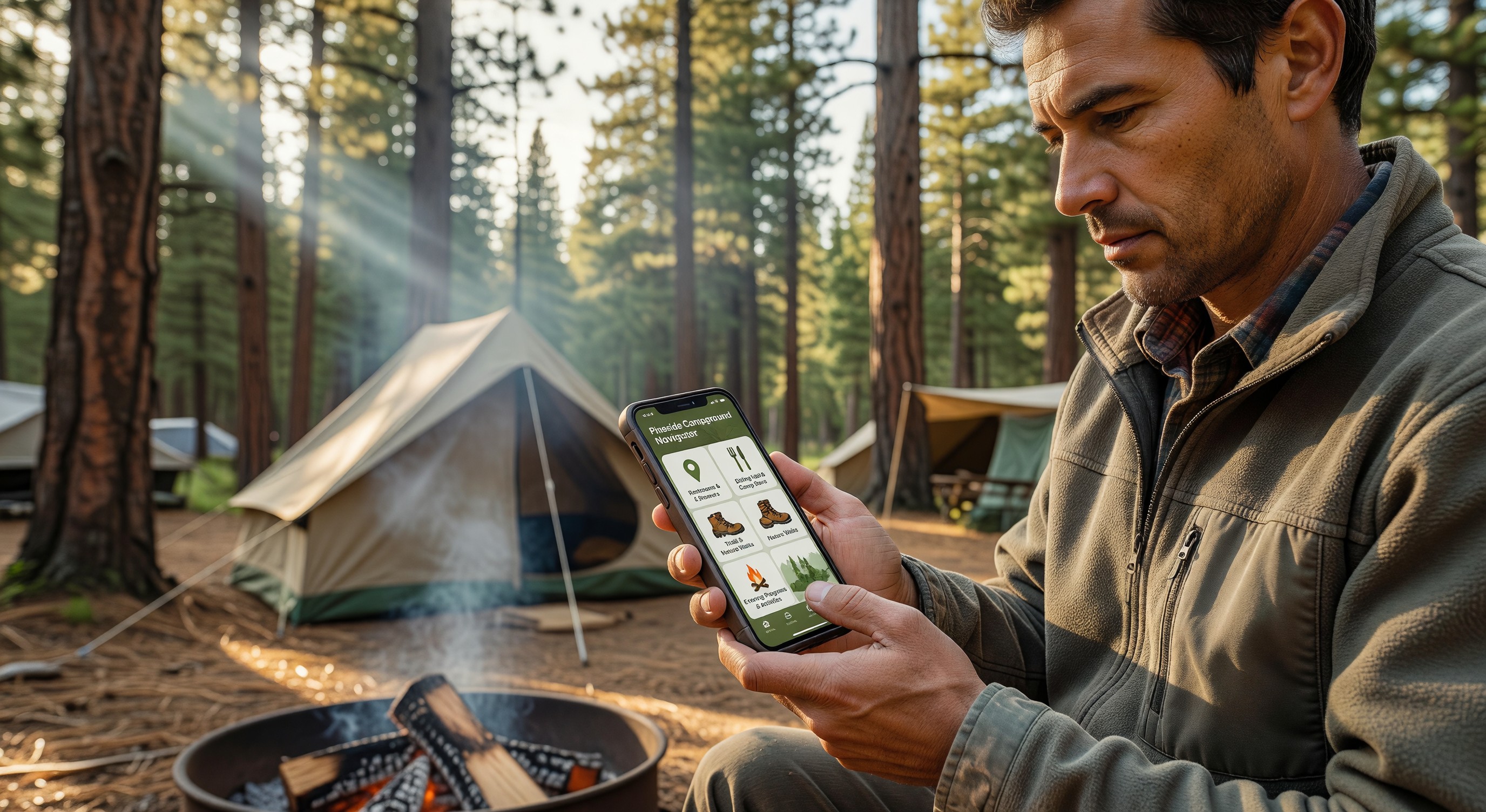
In-park navigation: For large resorts with multiple loops, dozens of amenity buildings, trails, and activities spread across hundreds of acres, an interactive map that shows the guest where they are and what’s where is genuinely useful. A printed map is a poor substitute for a GPS-enabled interactive version.
Real-time amenity status: Is the pool open right now? Is the camp store busy? When is the next guided hike departing? Information that changes throughout the day is better delivered through a live digital channel than on static signage.
On-property messaging: A direct communication channel from guests to staff (or staff to guests) that doesn’t require phone calls. A guest with a maintenance issue can report it through the app; staff can acknowledge and track the resolution.
Activity and experience booking: For parks with significant programmed activity offerings (nature tours, fitness classes, equipment rentals), in-app booking is more convenient than front desk visits.
Access credentials: If guests use digital credentials for gate and amenity access, the app is a natural home for the credential.
Loyalty program interaction: For parks with loyalty programs, the app provides a home for point tracking, tier status, and benefit management.
If your campground is a 50-site rural park with a simple amenity set and few programmed activities, a mobile app probably doesn’t create enough value to justify the investment.
App Development Options
Build your own: Custom app development is expensive ($50,000–$200,000+ for a quality cross-platform app) and requires ongoing maintenance. This option makes sense for large resort chains building a branded platform across multiple properties.
White-label campground app platforms: Several vendors offer white-label campground app platforms — your park’s branding on their underlying technology. These platforms include standard campground features (maps, activity listings, communication tools) that you configure rather than build. Monthly licensing fees of $100–$500/month are typical.
Progressive web apps (PWAs): A PWA is a website that behaves like an app — can be added to the home screen, works offline, sends push notifications. For campgrounds that want app-like functionality without the friction of app store download, a well-built PWA can achieve most of the same guest-facing goals.
Driving App Adoption
The biggest challenge with campground apps isn’t building them — it’s getting guests to download and use them. Proven adoption strategies:
QR code at check-in: A QR code on the check-in information sheet links directly to the app download. Staff mention the app as the source for park maps and activity schedules.
Incentivize download: A small on-property credit ($5 in the camp store, or a free s’mores kit) for guests who download and register the app drives initial adoption.
Make it the only source for something valuable: If the interactive map is only in the app, guests who want the map download the app. Same for real-time activity booking.
Communicate the availability across all booking touchpoints: Confirmation email, pre-arrival email, and welcome text all mention the app with a download link.
Frequently Asked Questions
Should I build an iOS app, Android app, or both? Both platforms are necessary if you’re building a native app — iOS and Android together cover 99%+ of the smartphone market. White-label platforms typically provide both. If cost is a constraint, a PWA serves both platforms without separate development.
How do I handle guests who don’t have smartphones? An app should complement other guest communication channels, not replace them. Paper maps, front desk service, and posted signage remain necessary for guests without smartphones. Make clear that the app is an optional enhancement, not a required tool.
What’s the minimum campground size where a mobile app makes sense? There’s no firm threshold, but parks under 150 sites with simple amenity offerings rarely generate enough value from an app to justify even the lower cost of white-label platforms. Large resort-style parks (300+ sites, multiple amenity zones, significant activity programming) have clear use cases. Mid-size parks should evaluate whether any of the specific use cases — navigation, messaging, activity booking — apply to their specific operation.
How do I keep app content current without significant ongoing effort? Design your app around content types that are either static (maps, rules, facility descriptions) or automatically updated (activity schedules from your booking system, amenity status from integrated sensors). Minimize content that requires manual daily updates — this creates the most common source of stale, unhelpful app content.
Further Reading from Authoritative Sources
- ARVC campground digital guest experience standards — ARVC provides operational guidance for campground guest experience technology and is the appropriate trade authority for statements about digital guest service adoption and its operational impact.
- FCC consumer data privacy resources — The FCC publishes consumer privacy resources relevant to app data collection and disclosure requirements, providing the regulatory context for the data privacy considerations that campground operators must address when deploying guest-facing mobile applications.