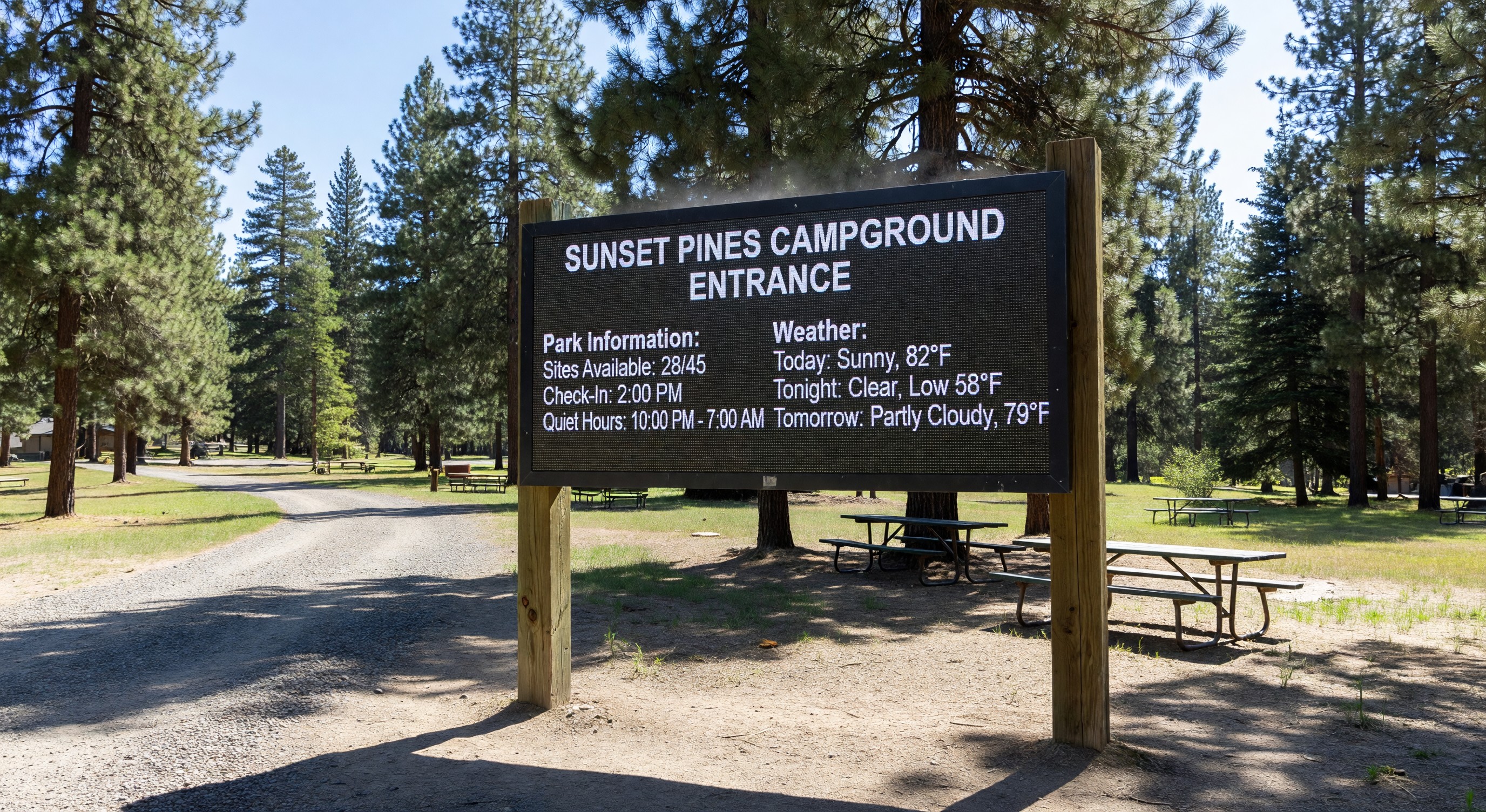
Paper signs at campground entrances get faded, torn, and outdated. Whiteboards in bathhouses get erased. Information posted on bulletin boards requires guests to physically visit the board and find the relevant notice among a cluttered collection.
Digital signage solves these communication problems by displaying dynamic, updatable information on screens placed throughout the property. A campground operator can update what’s displayed from any internet-connected device — changing weather alerts, posting daily activity schedules, announcing quiet hours or special events — without touching a printer or walking the property.
Where Digital Signs Make Sense at Campgrounds
Park entrance and registration area: A large display showing today’s arrival information, park rules, activities schedule, and local weather is the most high-traffic location. Guests arriving can orient themselves without staff interaction.
Bathhouse entrances: A small display with daily activity schedule, current time/temperature, water temperature for the pool or lake, and any relevant notices (bathhouse maintenance, quiet hours reminder).
Recreation pavilion: Event schedules, activity sign-ups, daily specials at the camp store. A display here reaches guests who are actively engaging with amenities.
Boat launch or waterfront: Water conditions, fire restrictions, rental availability, safety reminders.
Camp store exterior: Daily specials, current firewood availability, ice availability — the information that drives purchase decisions.
Technology Options for Outdoor Digital Signage
Commercial outdoor displays: Displays designed for outdoor use have higher brightness (to be readable in sunlight), wide temperature operating ranges, and weatherproof enclosures. Brightness is rated in nits — outdoor displays typically need 1,500–3,000 nits to be readable in direct sunlight. Standard indoor displays are 250–500 nits and are unreadable outdoors in daylight.
All-weather kiosks: Displays in purpose-built enclosures with weatherproofing, ventilation, and mounting options. These are more expensive but provide a finished, professional look appropriate for entrance areas.
Window-mounted interior displays: For signs visible through glass (camp store windows, registration office windows), standard commercial displays work. The glass reduces brightness somewhat but protects the display from weather.
Display sizing: For outdoor viewing at distances of 10–20 feet, a minimum of 43" display is typical. Larger spaces with greater viewing distances warrant 55" or larger.
Content Management Systems
A digital sign without a content management system requires someone to physically access each sign to update it. A good CMS lets you manage all your signs remotely:
Scheduled content: Set activities schedules, daily specials, and regular announcements to publish automatically at defined times.
Weather integration: Displays that pull current weather data from a weather API automatically update temperature, forecasts, and alerts without manual input.
Emergency alerts: Push a property-wide message to all displays instantly when weather events, evacuations, or urgent notices need immediate communication.
Multi-zone layouts: Most digital sign templates divide the screen into zones — a main content area, a ticker, a weather widget, a clock — that can update independently.
Selecting and Deploying a Content Management Platform
Purpose-built digital signage platforms vary significantly in pricing and capability. For most campgrounds, a straightforward cloud-based CMS with outdoor-display support and basic scheduling is sufficient:
Look for:
- Easy template editing (drag-and-drop, not code)
- Scheduling capability for automatic content rotation
- Multi-display management from a single dashboard
- Responsive support for troubleshooting
Frequently Asked Questions
Can I use a consumer smart TV for outdoor signage? Consumer smart TVs are not appropriate for outdoor installation — they’re not weatherproofed, their brightness is insufficient for outdoor readability, and they’re not designed for continuous operation. Use commercial outdoor displays rated for the environment.
How much power do outdoor digital signs consume? A typical 43" outdoor display consumes 150–400 watts depending on brightness. Running continuously, that’s $150–$400 per year per display in electricity costs at average US rates. Factor this into your budget.
What happens to the display if the internet connection goes down? Most digital signage CMS platforms cache content locally on the display — if internet connectivity is lost, the display continues showing the last downloaded content. It won’t update until connectivity is restored, but it doesn’t go blank.
How durable are outdoor commercial displays in harsh climates? Quality outdoor displays are designed for operating temperatures from -22°F to 140°F and are rated for outdoor precipitation and humidity. The electronics are the most climate-sensitive component; high-quality displays use industrial-grade components that handle wider temperature ranges. Verify the operating temperature range against your climate extremes before purchasing.
Further Reading from Authoritative Sources
- ARVC campground guest communication and signage standards — ARVC provides guest communication guidance for campground operators, including signage standards and information display requirements that inform the placement and content decisions described in this article.
- Digital signage technology overview and content management systems — Wikipedia’s digital signage article provides authoritative background on digital signage technology categories, content management system capabilities, and hardware specifications that campground operators need to evaluate before purchasing digital signage solutions.