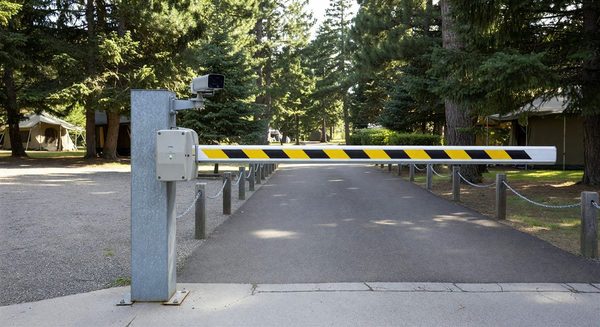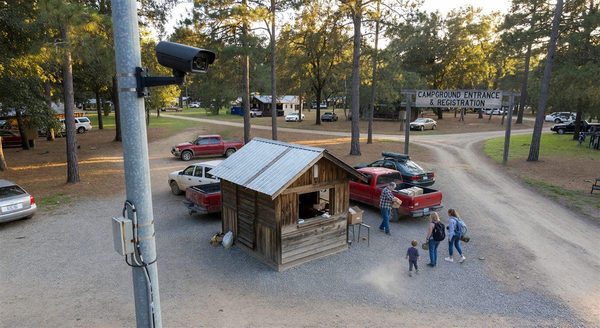
Every time a vehicle uses a gate credential at your campground entry, an access event is logged: the credential ID, the timestamp, the gate used, and whether access was granted or denied. This log is far more valuable than most campground operators realize.
When an incident occurs — a theft, a vandalism event, a dispute about when a guest arrived or departed, an unauthorized entry — the access log is often the first place a thorough investigation should look. Understanding how to collect, preserve, and use access logs is an underappreciated security competency.
What Access Logs Record
A well-configured access control system logs, at minimum:
- Credential identifier: The code, card ID, or credential used
- Timestamp: Date and time of the access event (accurate to the second)
- Gate/reader: Which gate or reader captured the event (important for multi-gate parks)
- Access result: Granted or denied
- Denial reason (for denied events): Expired credential, unknown credential, time-restricted, etc.
More advanced systems also record:
- Associated reservation data (which guest the credential belongs to)
- Vehicle plate (if LPR is used alongside credential control)
- Video clip from the gate camera (some systems link camera footage to access events)
Retention and Storage
Access logs have no value if they’re overwritten before an incident investigation occurs:
Minimum retention: 90 days for standard access logs. This covers most investigation timelines — incidents discovered weeks after they occurred can still be investigated if logs are retained.
Extended retention for incidents: When an incident report is filed, immediately flag and preserve the access logs for the relevant dates. Don’t let routine overwrite policies delete evidence.
Secure storage: Access logs should be stored in a location that isn’t easily tampered with by parties who might be subjects of investigation. Cloud-hosted logs are harder to locally manipulate than on-site hard drives.
Backup: If your access control system stores logs only locally, export them regularly to a separate backup. A stolen or failed controller shouldn’t take months of access history with it.
Common Investigation Scenarios
Disputed arrival or departure time: A guest claims they arrived at 2pm and should not be charged for an extra day. Your access log shows their credential first used the gate at 11am. The log resolves the dispute objectively.
Unauthorized vehicle on property: A vehicle you can’t identify is found in the park after a theft incident. The access log shows every credential used during the relevant period — cross-referencing credential-to-guest assignment narrows the suspect list.
Guest-on-guest incident: Two guests dispute events on a particular evening. Access log timestamps show when each party’s credentials were used at which gates, establishing a timeline that may corroborate or contradict the accounts.
Suspected unauthorized entry (non-credentialed): If an incident occurred but there’s no access log record suggesting the perpetrator used a credential, the entry was likely unauthorized — through the perimeter rather than the gate. This tells you where to focus the investigation (perimeter cameras rather than gate logs).
Break-in at an amenity building: If you use smart locks on cabins or amenity buildings, the lock audit log shows every entry, similar to gate logs. This can identify when an unauthorized entry occurred or confirm that a door was locked when a guest claims otherwise.
Procedure for Accessing and Preserving Logs
When an incident is reported, move quickly:
- Note the incident date and time range
- Log into your access control system and navigate to the event log
- Filter to the relevant date/time range and any relevant gates or readers
- Export the log to a spreadsheet or PDF immediately — don’t rely on the system’s storage to preserve it
- Save the export with a clear filename including the date, time, and incident description
- If video evidence is available linked to the access events, export or download the relevant footage on the same timeline
Work with law enforcement if criminal activity is suspected — they may request your access logs in a formal investigation, and having them pre-preserved and organized speeds up that process significantly.
Frequently Asked Questions
Can guests request their own access log data? In most jurisdictions, yes — privacy regulations give individuals the right to access personal data held about them, which includes access event records linked to their credential. Have a defined process for responding to these requests, which typically means extracting and providing the records associated with their specific credential.
Are access logs admissible as evidence? Generally yes, in civil disputes and criminal investigations, when properly collected and preserved. Working with legal counsel on specific incidents is advisable — rules of evidence vary by jurisdiction and case type.
What if our access control system doesn’t store logs, or logs only a few days of history? This is a significant gap to address. If your current gate system can’t retain 90 days of access history, upgrading the controller or logging software is a worthwhile investment for any park that has experienced security incidents. Some gate systems can be retrofitted with external logging that captures and stores events independently of the controller’s built-in storage.
How do I match a credential ID in the access log to a specific guest? Your access control system should maintain a mapping of credential IDs to the reservation records they were issued to. If credentials are issued by integration with your PMS, this mapping exists in the reservation record. If credentials are issued manually, maintain a log book or spreadsheet mapping each issued credential ID to the guest/reservation it was assigned to.
Further Reading from Authoritative Sources
- ARVC campground security incident management guidance — ARVC provides security incident management guidance for campground operators, making it the most relevant trade authority for how campground access logs should be used in security investigations and law enforcement cooperation.
- Access control log management and audit trail standards — Wikipedia’s access control article provides authoritative background on access log architecture and audit trail concepts, supporting readers who need to understand how access control records are structured before evaluating their investigative value.